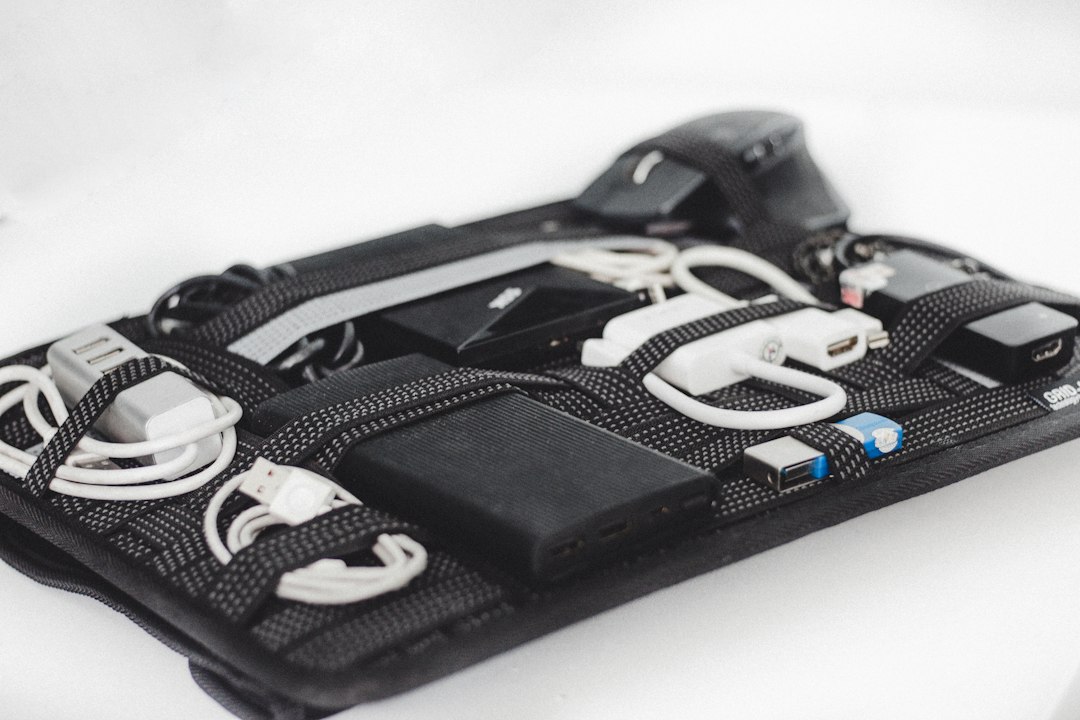
In today’s digital age, USB accessories have become essential for every tech enthusiast. Whether you’re a gamer, a professional, or just someone who loves gadgets, having the right USB accessories can enhance your experience significantly. From charging cables to data transfer devices, the variety of USB accessories available can be overwhelming. This article will explore the top ten must-have USB accessories that can elevate your tech game and streamline your daily tasks.
1. High-Speed USB Flash Drives
High-speed USB flash drives are a necessity for anyone who frequently transfers large files. These drives come in various storage capacities, allowing you to choose one that fits your needs. With read and write speeds that can reach up to 400 MB/s, these flash drives ensure that you can quickly move data between devices without wasting time. Additionally, many high-speed USB flash drives come with encryption features, providing an extra layer of security for your sensitive information.
When selecting a flash drive, consider the brand and warranty offered. Some brands are known for their reliability and durability, which can save you from potential data loss. Furthermore, look for drives that are compatible with USB 3.0 and USB 3.1 ports to maximize transfer speeds. Investing in a quality high-speed USB flash drive is a smart choice for anyone who values efficiency and security.
2. USB Hub
A USB hub is an indispensable accessory for anyone with multiple devices. It allows you to connect several USB devices to a single port on your computer, making it easier to manage your peripherals. With options ranging from simple 4-port hubs to advanced models with charging capabilities, there’s a hub for every need. This accessory is particularly useful for laptops that often come with limited USB ports.
When choosing a USB hub, consider the power supply and data transfer speeds. Some hubs come with their own power adapters, which can be beneficial for powering devices that require more energy. Additionally, look for hubs that support USB 3.0 for faster data transfer rates. A reliable USB hub can significantly enhance your productivity by keeping your workspace organized and efficient.
3. USB-C to HDMI Adapter
As more devices adopt USB-C technology, having a USB-C to HDMI adapter has become essential for tech enthusiasts. This adapter allows you to connect your laptop or smartphone to a monitor or TV, enabling you to enjoy high-definition video and audio. Whether you’re giving a presentation or watching a movie, this accessory ensures that you can share your screen with ease.
When selecting a USB-C to HDMI adapter, ensure it supports 4K resolution for the best viewing experience. Additionally, check for compatibility with your devices, as not all adapters work with every USB-C port. Investing in a quality adapter can enhance your multimedia experience and make it easier to connect your devices to larger displays.
4. USB Charging Station
A USB charging station is a game-changer for anyone with multiple devices that need charging. Instead of dealing with a tangle of cables and multiple wall adapters, a charging station allows you to charge several devices simultaneously from a single outlet. Many charging stations come with smart charging technology, which automatically detects the optimal charging speed for each device.
When choosing a charging station, consider the number of ports and the total power output. Some stations can charge up to ten devices at once, making them perfect for families or shared spaces. Additionally, look for models with built-in surge protection to safeguard your devices against power surges. A USB charging station can simplify your charging routine and keep your devices powered up and ready to go.
5. USB Microphone
For content creators, a USB microphone is an essential tool for producing high-quality audio. Whether you’re podcasting, streaming, or recording music, a good USB microphone can make a significant difference in your sound quality. Many USB microphones are plug-and-play, meaning you can easily connect them to your computer without needing additional software or equipment.
When selecting a USB microphone, consider the type of recording you’ll be doing. Some microphones are designed for vocals, while others are better suited for instruments or ambient sounds. Additionally, look for features like adjustable gain and built-in pop filters to enhance your recordings. Investing in a quality USB microphone can elevate your audio projects and help you produce professional-sounding content.
Step-by-step plan:
Step 1: Identify your specific needs based on your tech usage. Step 2: Research the top-rated USB accessories that fit your requirements. Step 3: Compare prices and features to find the best options. Step 4: Purchase your selected accessories and integrate them into your tech setup.